Background
The customer was looking to test our sample Infragistics application OutlookCRM.exe and had recorded the following RVL test case:
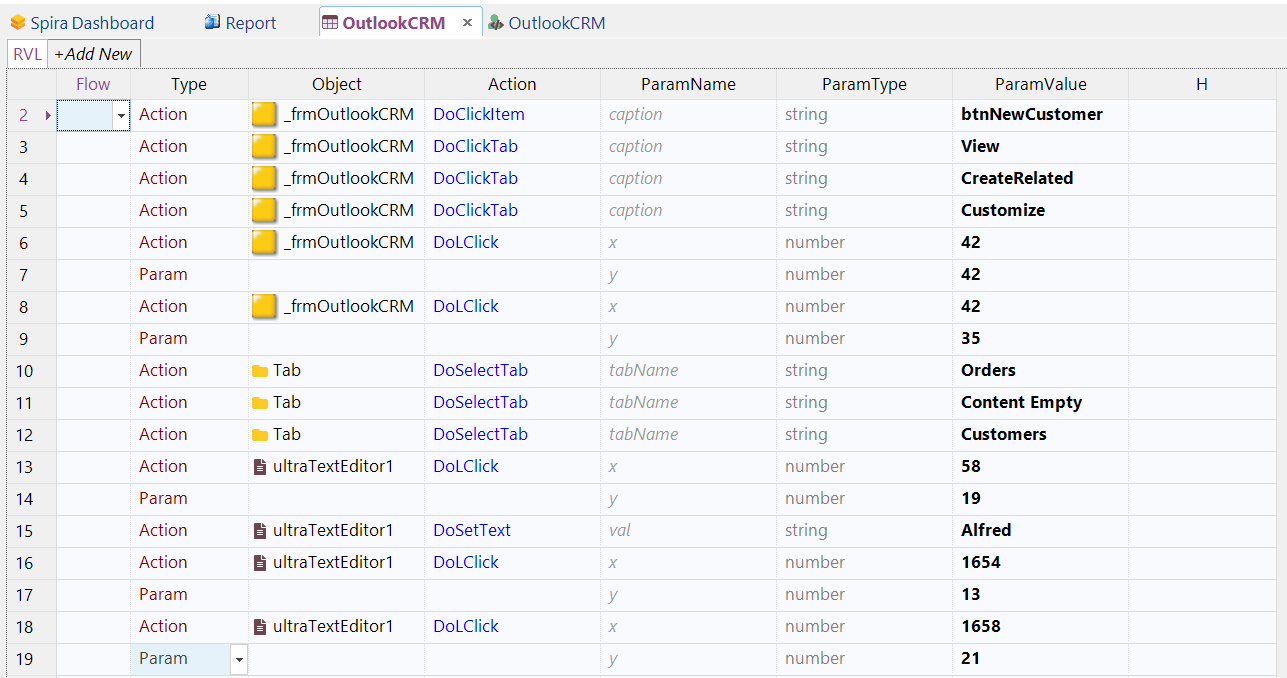
They wanted to have the ability for Rapise to always launch the application upon start, and always close the application, even if the test case failed in the middle. If you simply add the Global.DoLaunch and Global.KillByName functions in the main RVL flow, it will only terminate the application if the entire script completes, leaving it running if there was a test failure:
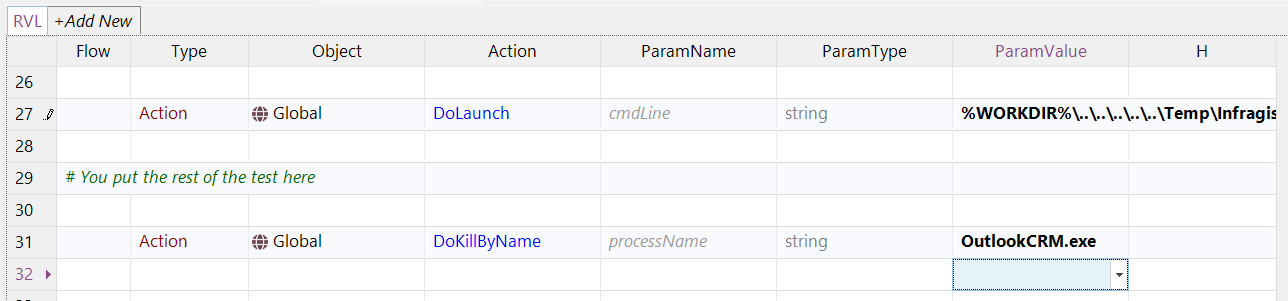
So, instead of this approach, we can simply add the same code to the special JavaScript Init and Finish handlers:
- SeSOnTestInit - contains a list of functions called when the test initializes
- SeSOnTestFinish - contains a list of functions called when the test finishes
Solution
You need to click on the User.js file for this RVL test case and add the following code to the JavaScript editor:
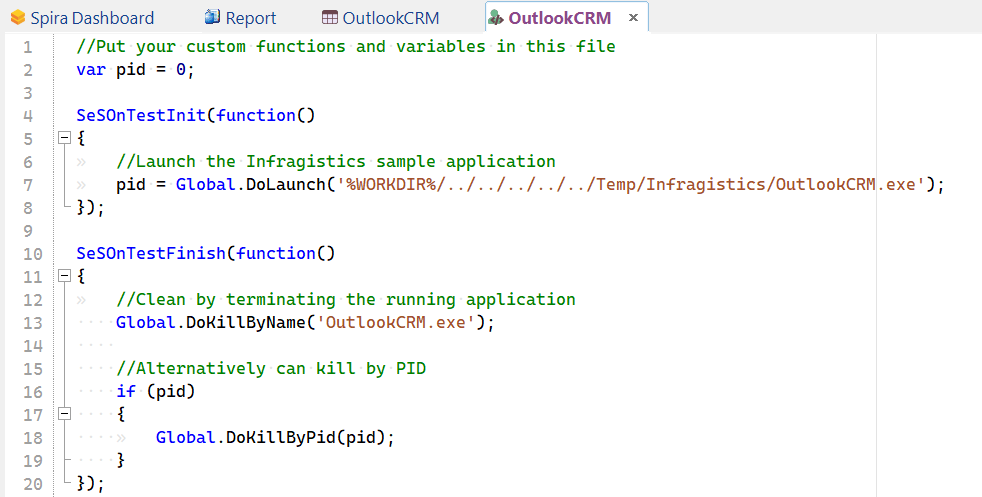
Now when the test executes, it will always launch the application being tested, then close it when the test has finished, regardless of whether all of the steps were completed.
The code is available below for you to copy and paste:
//Put your custom functions and variables in this file
var pid = 0;

SeSOnTestInit(function()
{
	//Launch the Infragistics sample application
	pid = Global.DoLaunch('%WORKDIR%/../../../../../Temp/Infragistics/OutlookCRM.exe');
});

SeSOnTestFinish(function()
{
	//Clean by terminating the running application
    Global.DoKillByName('OutlookCRM.exe');

    //Alternatively can kill by PID
    if (pid)
    {
    	Global.DoKillByPid(pid);
    }
});
Note that we have illustrated two methods for terminating the application:
- KillByName - allows you to simply terminate the running application by name. If you use this option, you don't need to store the process ID (pid) in the variable at the start.
- KillByPid - allows you to terminate the application by its Windows Process ID (pid).
Framework Mode
If you are using a framework-based approach in Rapise, the recommended place for your SeSOnTestInit and SeSOnTestFinish functions is the Common.js file. This ensures that your initialization and cleanup logic is centralized and applied consistently across all tests within the framework.
When developing tests, you will often want to execute only a specific selection of rows from an RVL (Rapise Visual Language) spreadsheet for debugging purposes. To prevent your full application launch and teardown sequence from running during these partial executions (RVL Selection), you should wrap your setup and cleanup logic in a check for g_entryPointName == "Test". This ensures the code only runs during a full test execution.
Here is the recommended pattern to use in your Common.js file, incorporating the application launch and kill logic:
var pid = 0;

/**
 * Run this code before each test case.
 */
SeSOnTestInit(function() {

    // Only run during a full test execution, not during an RVL Selection run
    if (g_entryPointName == "Test") {
        // Launch the application under test (e.g., Infragistics sample)
        pid = Global.DoLaunch('%WORKDIR%/../../../../../Temp/Infragistics/OutlookCRM.exe');
    }
});

/**
 * Run this code after each test case.
 */
SeSOnTestFinish(function() {
    // Only run during a full test execution, not during an RVL Selection run
    if (g_entryPointName == "Test") {
        // Clean up by terminating the running application
        Global.DoKillByName('OutlookCRM.exe');

        // Alternatively, kill by PID:
        if (pid) {
            Global.DoKillByPid(pid);
        }
    }
});
Results
So now, when you run the test you will see the following:
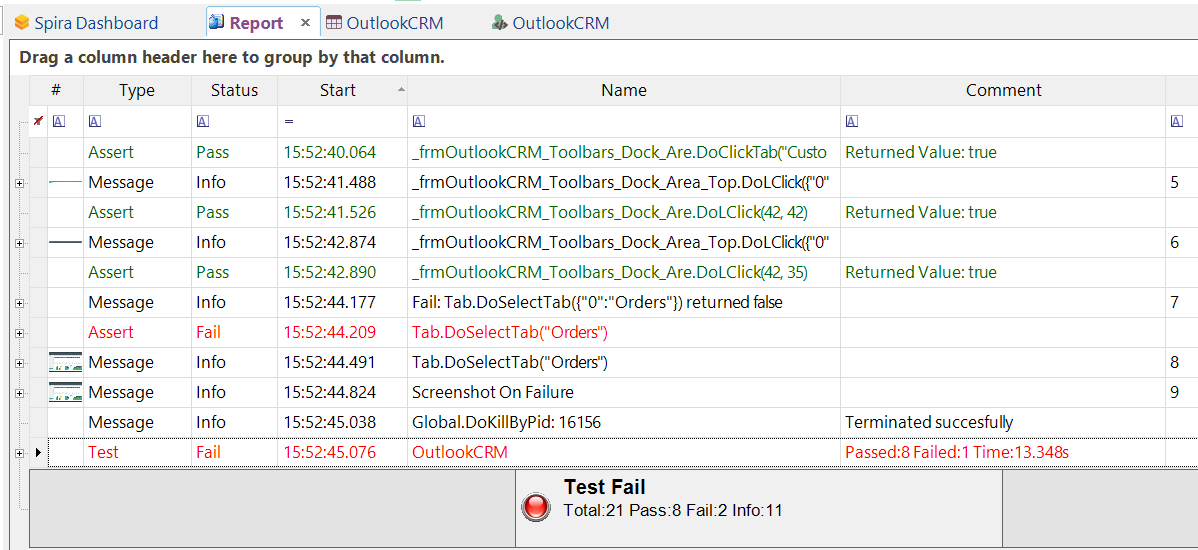
The test clearly failed midway through, but despite that, it correctly started and terminated the running application each time.