Using the Redaction Test Framework
Attached to this article is a sample Rapise test framework that contains everything you need to redact images:
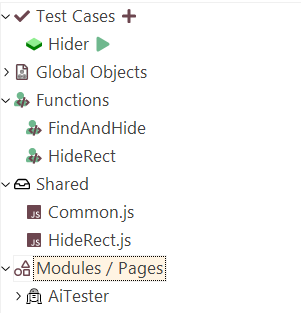
The test framework makes uses of the following Public Modules:
- AiTester - this is the vision AI functionality that needs a compatible AI engine to be in place
For this test we recommend using one of the following AI providers:
- Inflectra.ai - if you are running Rapise 8.7 or later you can simply use the built-in Inflectra.ai subscription which includes access to the necessary LLM
- Anthropic Claude Sonnet - if you are not using Inflectra.ai or have an earlier version of Rapise, simply use the Amazon Bedrock option with the following model and inference profile:
- arn:aws:bedrock:us-east-1:<AWS Account ID>:inference-profile/global.anthropic.claude-sonnet-4-5-20250929-v1:0
How to Redact Images
The framework provides the following utility function that you can use to perform the content identification and redaction:
function FindAndHide( /**string*/ whatToFind, /**string*/ imgPath, /**string*/ dstPath)
This function requires the following parameters:
- whatToFind - this is the text prompt that describes how to identify the text that needs to be hidden
- imgPath - this is the location of the source (unredacted) image
- dstPath - this is the location of the destination (redacted) image
You can then use this function with the existing Navigator object to access the current screen as an image, and the SeSReportImage command to publish the redacted image in the final test report.
A sample implementation is included in the attached test framework:
function Test(params)
{
	Navigator.Open("https://rapisedoc.inflectra.com/");

	var imgPath = Global.GetFullPath("base.png");
	var dstPath = Global.GetFullPath("base1.png");

	// Here we get a screenshot directly from the browser, but we could read them
	// from folder - just need paths.
	Navigator.DoScreenshot(imgPath);

	// It would take source image, hide whatever asked, and write it to destination path
	var iw = FindAndHide(
	"Help me locating all words starting with D or d. I need to hide all such words (only those words, nothing else).",
		imgPath,
		dstPath);

	// Finally, add postprocessed image to the report.
	Tester.Message('Done', [new SeSReportImage(iw)])

}
When you run this test it will open up the following web page:
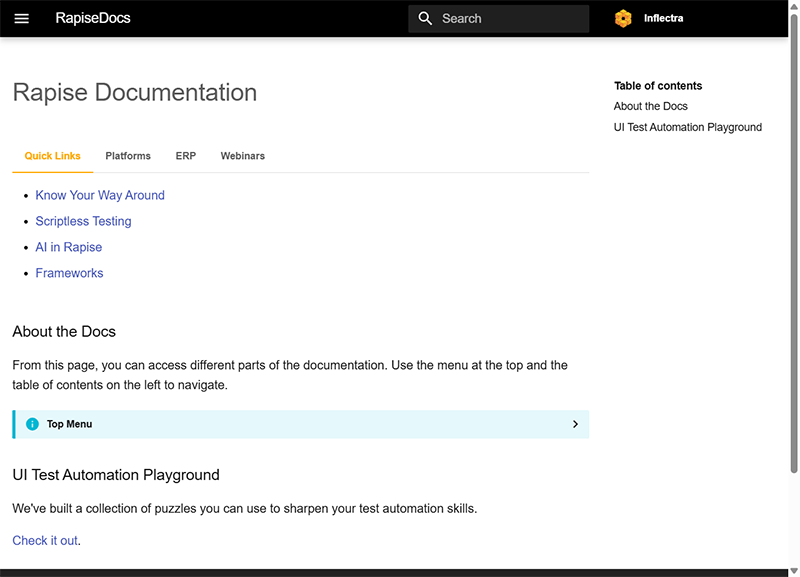
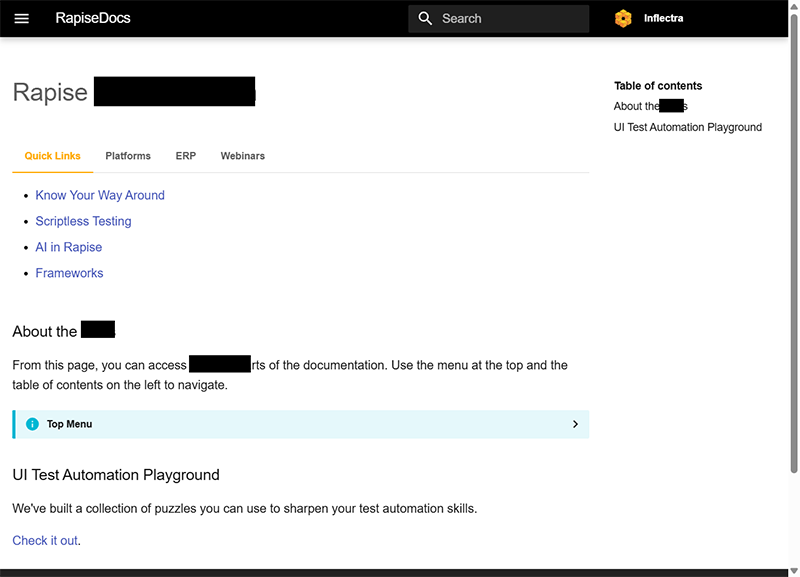
and it will redact all words that begin with the letter "D" or "d":